
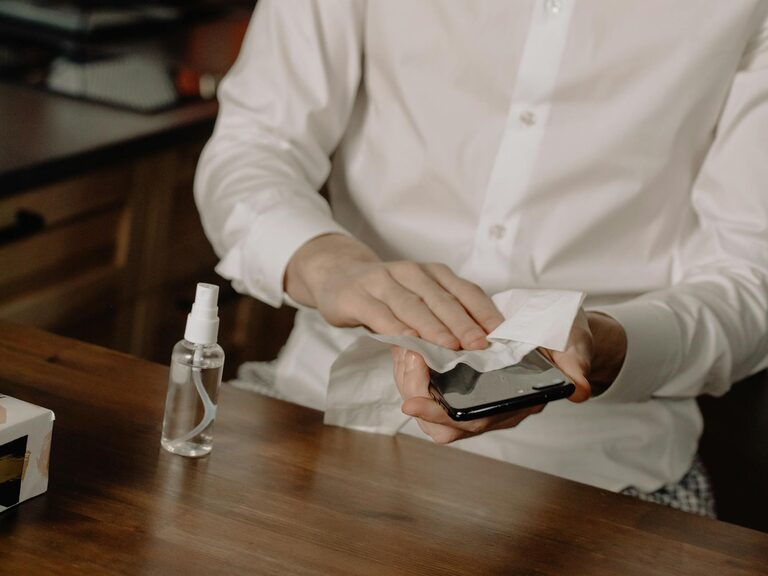
Keeping your phone and keyboard clean is essential for maintaining both hygiene and the longevity of your devices. Since these gadgets are used frequently and often come into contact with various surfaces, they tend to accumulate dust, oils, and germs. However, cleaning them incorrectly can cause damage. In this guide, we’ll walk you through safe and effective methods to clean your phone and keyboard, ensuring your devices stay pristine without risk.
Why Cleaning Your Phone and Keyboard Matters
Phones and keyboards are some of the most touched items in our daily lives. Over time, they collect dirt, skin cells, and microbes that can contribute to unpleasant odors and even spread bacteria. Regular cleaning helps reduce these risks and keeps your devices looking and functioning well.
General Safety Tips Before You Begin
Before starting the cleaning process, consider these important tips:
– Turn off your devices. Always power down your phone and unplug or switch off your keyboard.
– Disconnect accessories. Remove cases, cables, and any attachments to access all areas safely.
– Avoid excessive moisture. Using too much liquid can damage electronic components.
– Use gentle cleaning materials. Harsh chemicals or abrasive tools can scratch or erode surfaces.
How to Clean Your Phone Safely
What You'll Need
– Microfiber cloth
– Isopropyl alcohol (70% or less)
– Distilled water
– Cotton swabs
– Soft-bristled brush (optional)
– Small spray bottle (optional)
Step-by-Step Cleaning Process
- **Remove your phone case.** Set it aside to clean separately if needed.
- **Wipe down the exterior.** Lightly dampen the microfiber cloth with a mixture of 50% distilled water and 50% isopropyl alcohol. Avoid spraying liquid directly on the phone. Gently wipe all surfaces including the screen, back, and sides.
- **Clean buttons and ports.** Use a dry cotton swab or a soft brush to remove dust and debris from around buttons and charging ports. For stubborn dirt, slightly moisten the swab with the water-alcohol mixture.
- **Dry your phone.** Use a clean, dry microfiber cloth to remove any remaining moisture.
- **Clean the phone case.** Depending on its material (silicone, plastic, or leather), wash it with mild soap and water or follow manufacturer instructions.
Tips for Special Screens
– For phones with oleophobic (oil-repellent) coatings, avoid abrasive cloths or harsh chemicals.
– Screen protectors can be cleaned in the same way as the device screen.
How to Clean Your Keyboard Safely
What You'll Need
– Compressed air canister
– Microfiber cloth
– Isopropyl alcohol (70% or less)
– Cotton swabs
– Soft brush (optional)
Step-by-Step Cleaning Process
- **Unplug and turn off your keyboard.** If it's wireless, remove the batteries.
- **Remove loose debris.** Turn the keyboard upside down and gently shake it to dislodge crumbs and dust. Use compressed air to blow out particles between keys. Hold the can upright and use short bursts to avoid moisture build-up.
- **Wipe the surface.** Lightly dampen a microfiber cloth with the water-alcohol mixture and wipe all keys and the keyboard frame.
- **Clean between keys.** Dip a cotton swab slightly in the solution and carefully clean the gaps between keys.
- **Dry thoroughly.** Allow the keyboard to air dry completely before reconnecting or turning it back on.
Optional: Deep Cleaning
If your keyboard has removable keys, you can carefully pop them off (consult your keyboard’s manual) and clean underneath them with a soft brush and cloth.
Regular Cleaning Schedule Recommendations
– Weekly: Wipe down your phone and keyboard with a microfiber cloth.
– Monthly: Perform a more thorough clean including ports, buttons, and under keys.
– As needed: Clean your phone case and disinfect surfaces if exposed to contaminants.
Additional Tips for Device Care
– Wash your hands frequently to reduce dirt and oils transferred to devices.
– Avoid eating or drinking near your devices to prevent spills and crumbs.
– Use screen protectors and keyboard covers to minimize dirt accumulation.
– Store your devices in clean, dry places.
Conclusion
Cleaning your phone and keyboard safely doesn’t have to be complicated. With simple supplies and mindful techniques, you can keep your devices hygienic and in excellent shape. Regular maintenance not only improves device lifespan but also creates a healthier workspace and daily routine. Make cleaning a part of your tech care, and enjoy cleaner gadgets every day!